
Visual Content Types that Attract Links, Shares and Traffic

Gone are the days when text-based websites and blogs alone could bring the most qualified traffic. Audiences want information quickly, but may also forget it quite naturally. Therefore, what they look for are content formats that are both easy to understand and remember.
In this blog, we discuss one such content type, the visual content. It encourages the audience to click, share and link your content in their blogs or websites. If used mindfully, visual content is a powerful tool that can help your website attract more traffic, earn credible backlinks and generate more social media shares.
However, not every visual format may work the same way for every brand. The right choice depends on your content goals and audience taste. Want to know which format best suits your marketing goals? Let’s explore through this article.
Short-Length Embedded Audio-Visual Content

Explaining business strategies or technical concepts through text alone can be a real challenge. A better option? A short video of 30 to 60 seconds is what you need in your blog post to break down complex topics into simpler terms.
First, it is an authentic way to add your own multimedia content to your page without linking to other websites. Second, adding visual content to your blog will attract more readers, making your content more interactive.
Example: An embedded video showing features of a new CRM software.
Infographics
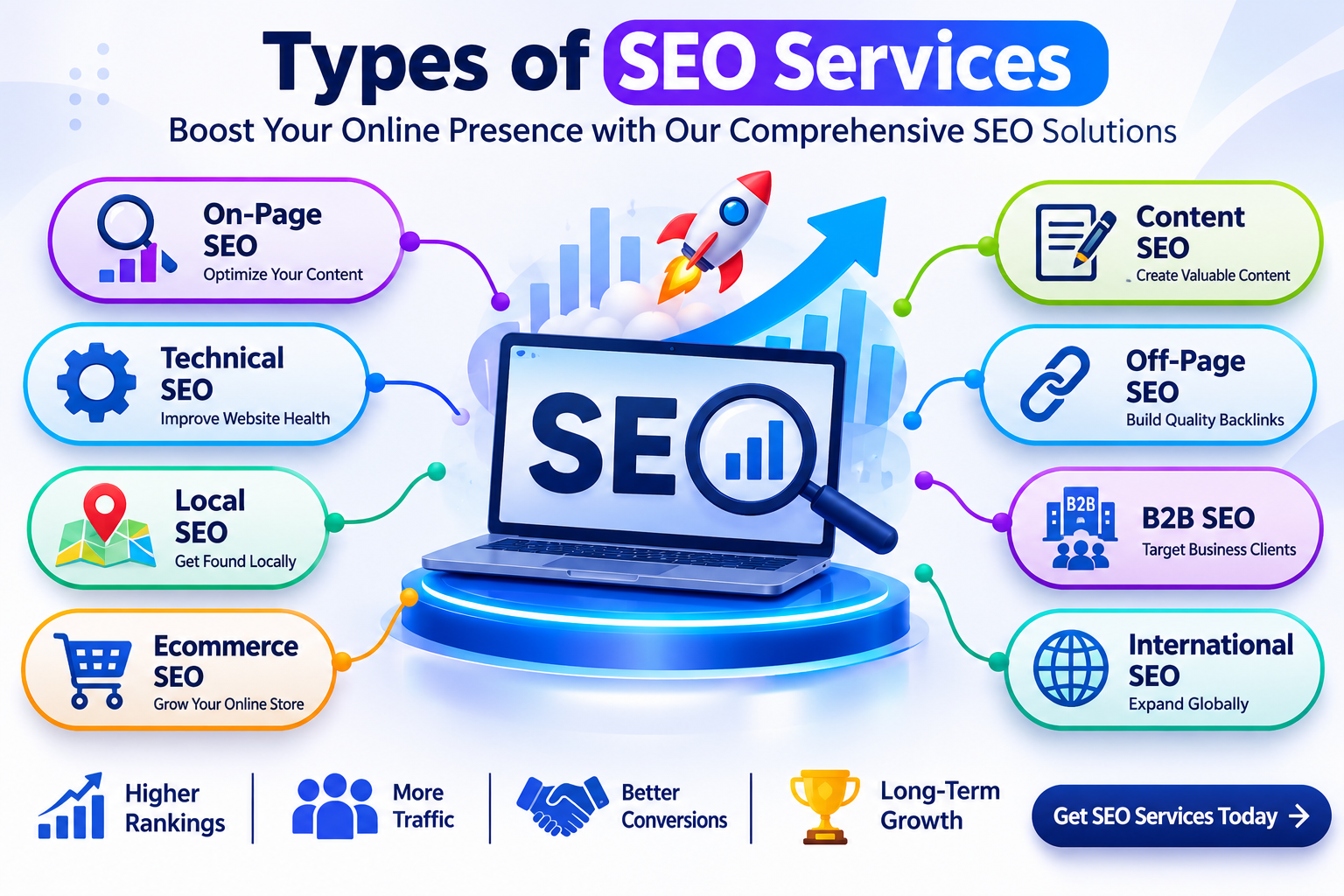
Does your article contain a lot of lists, tables, features or statistics in text format? Here’s how you can utilize this information to attract more traffic and social media shares. Create infographics for the same, that is, a graphical representation of information.
They combine statistics, text and illustrations into summarized content for the readers. Infographics are easy to share and reference. Use them in your content and improve your chances of reaching to wider audience and earn backlinks
Example: An infographics showing types of SEO services.
Screenshorts
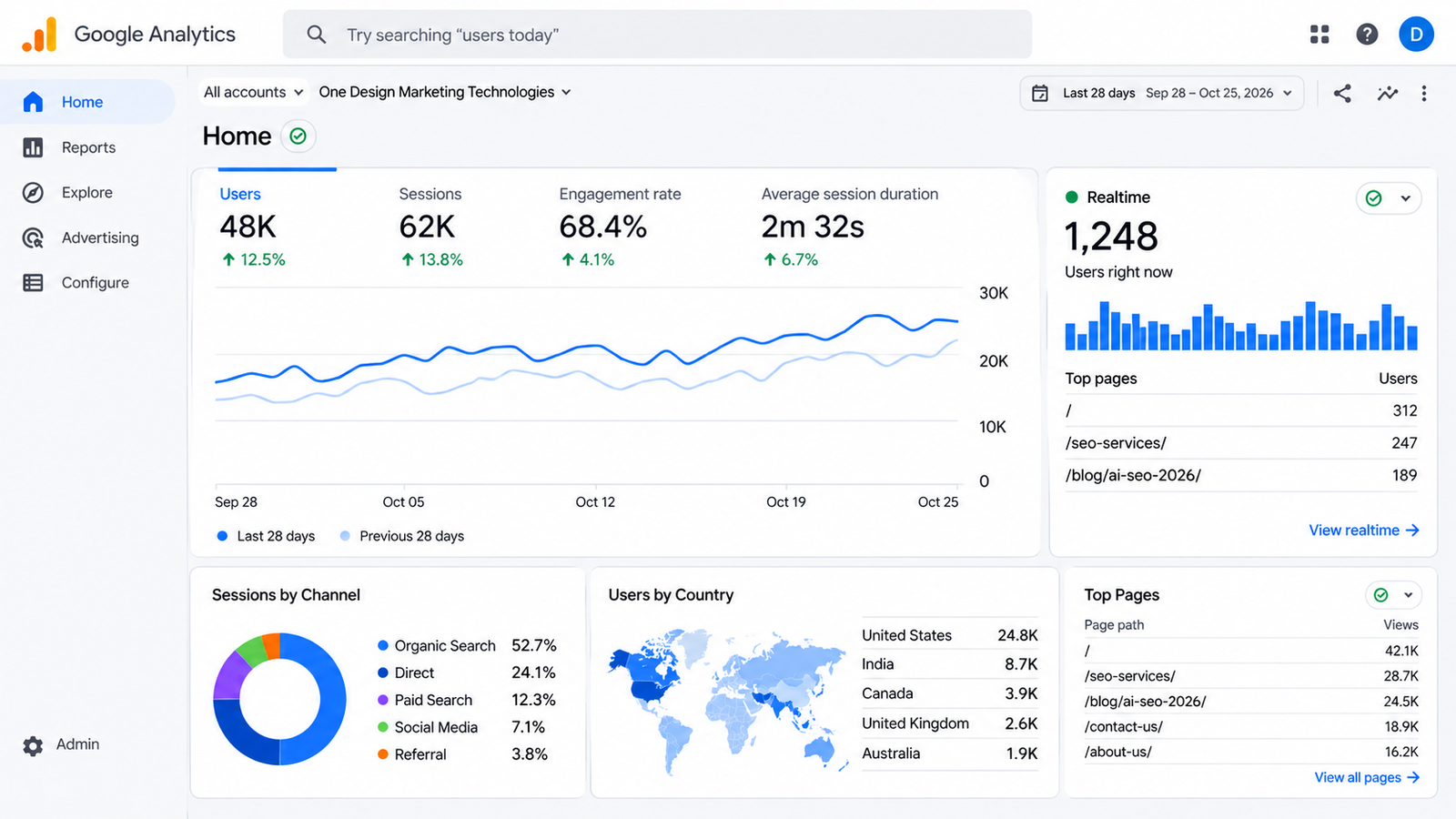
The best way to show your revenue data to your readers or to explain a complicated process, such as a software program installation? Take screenshots of your mobile or computer screen and attach them to your blog post along with simple instructions.
Now, your readers won’t have to read the detailed guide but match the screenshots with the pop ups on their own screen. Screenshots don’t tamper with the data, they capture information directly from the tools and present it to the users.
Example: A screenshot of your Google Analytics report.
Comparison Visuals
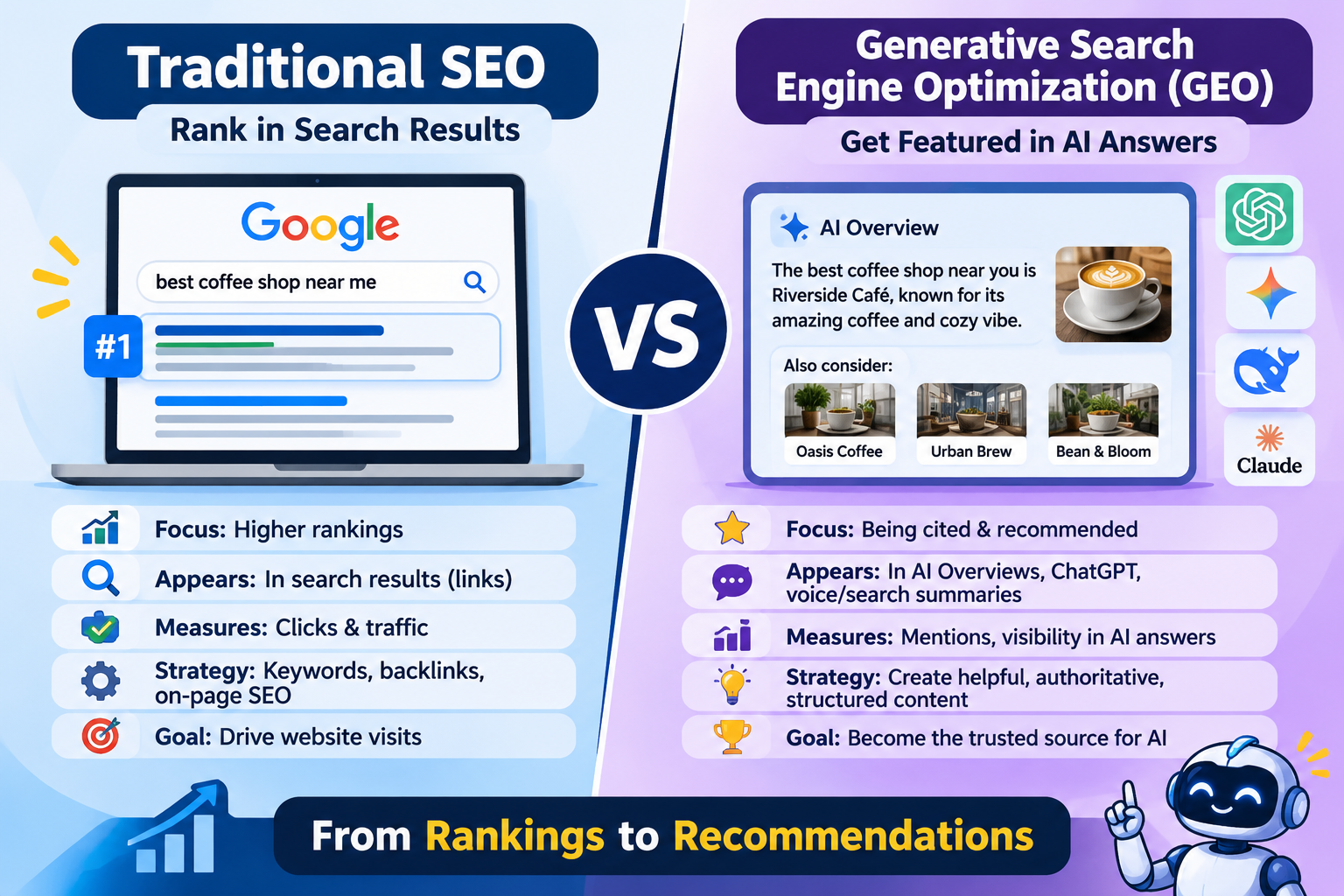
When comparing two or more options side by side, leave long descriptions and instead go for a comparison table.
It lists the basis of comparison in one column and the items being compared in the others. This sort of tabular visual content keeps the information clean, brief and easier to understand and reference.
Example: A comparison graphics showcasing the distinction between traditional SEO and Generative Search Engine Optimization (GEO).
Flowcharts

Who hasn’t learned drawing flowcharts in schools to explain processes or to make decisions? They are an effective way to break down technical or business workflow into simple steps.
Instead of jotting down the entire process in lengthy paragraphs, you can write small commands and different shapes to define every individual step and connect them using arrows. Flowcharts come handy when practically applying the instructions specified into these diagrams.
Example: A flowchart describing the steps involved in making a purchase from a website.
Visuals Showing Timelines
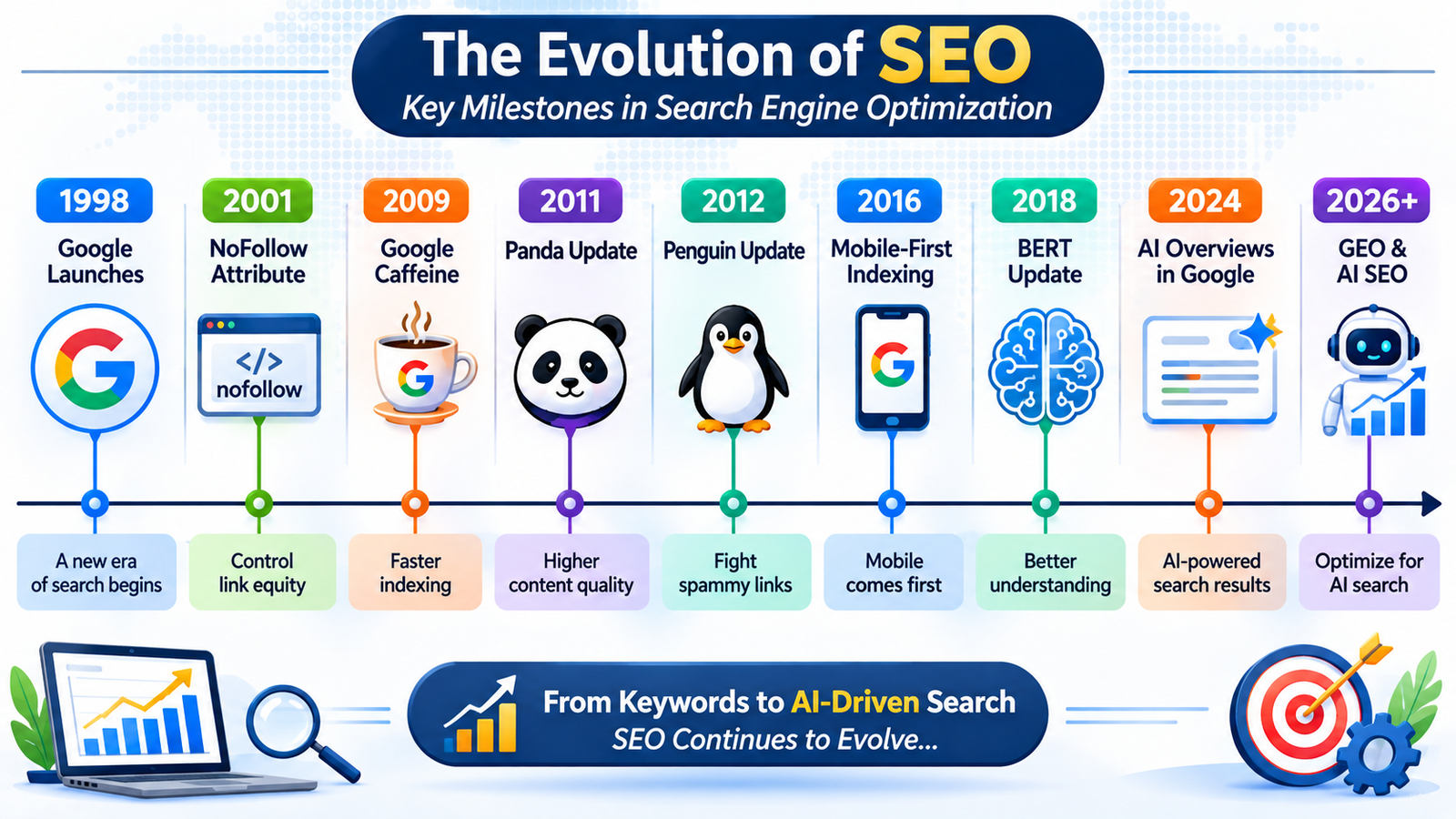
Working on a case study often requires arranging events in chronological order. But, using a timeline can help you better organize milestones, product launches and other relevant events.
Wondering how? Well, this type of visual content summarizes important dates and plans, helping readers understand and memorize key details more easily.
Example: A timeline showcasing major developments in the field of SEO.
Cartoon and Illustrations

Why not add a little bit of fun and creativity to your website content and blogs with cartoons or comic strips? Will they work? Most likely, because it’s a unique way of storytelling that can make technical concepts sound more relatable.
Create your illustrations around familiar social situations and workplace settings and who might know your content becomes the next viral meme.
Example: A cartoon showing an AI working 24/7 while a human overwhelmed by fatigue.
Blog Post Banners

Ever seen large, banner-style posters at the beginning of blog posts highlighting the topic? Such visual content may not serve any real purpose, but they make your content stand out through beautiful imagery, colors and typography.
Create one attractive banner and it can enhance the overall representation of your written content, including blog posts, news articles and newsletters.
Example: A blog post banner featuring SEO reporting tools for a blog about SEO reporting.
Want visuals that bring links and traffic? One Design Marketing Technologies, an SEO company with complete SEO services, can plan and build them with you.
Working in a specific field? Explore SaaS SEO, ecommerce SEO and healthcare SEO, or see our SEO company in London and Birmingham teams.
End Note
This list is just the beginning. Keep on exploring different types of visual content that can help your website grow by bringing in more traffic, social media shares and backlinks. Experiment with various formats and analyze their performance to identify what works the best for your audience.
Want help with creating visually aesthetic and meaningful graphics for your content? ODMT has an experienced team of graphics designers and content creators to transform your text-based website into an interactive visual experience. Connect with us today and unlock your online business growth.