Guide to Create an AI Search Visibility Dashboard
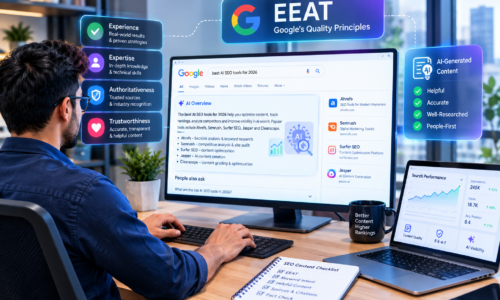
Open your web browser and enter a search query. You may see two ways of results: a traditional list of relevant webpages or an AI-generated overview at the top of the search results.
Since this blog focuses on AI search visibility, let’s discuss AI-generated responses. What do you notice? They provide direct answers, mention relevant brands, recommend suggested products or services or compare different brands.
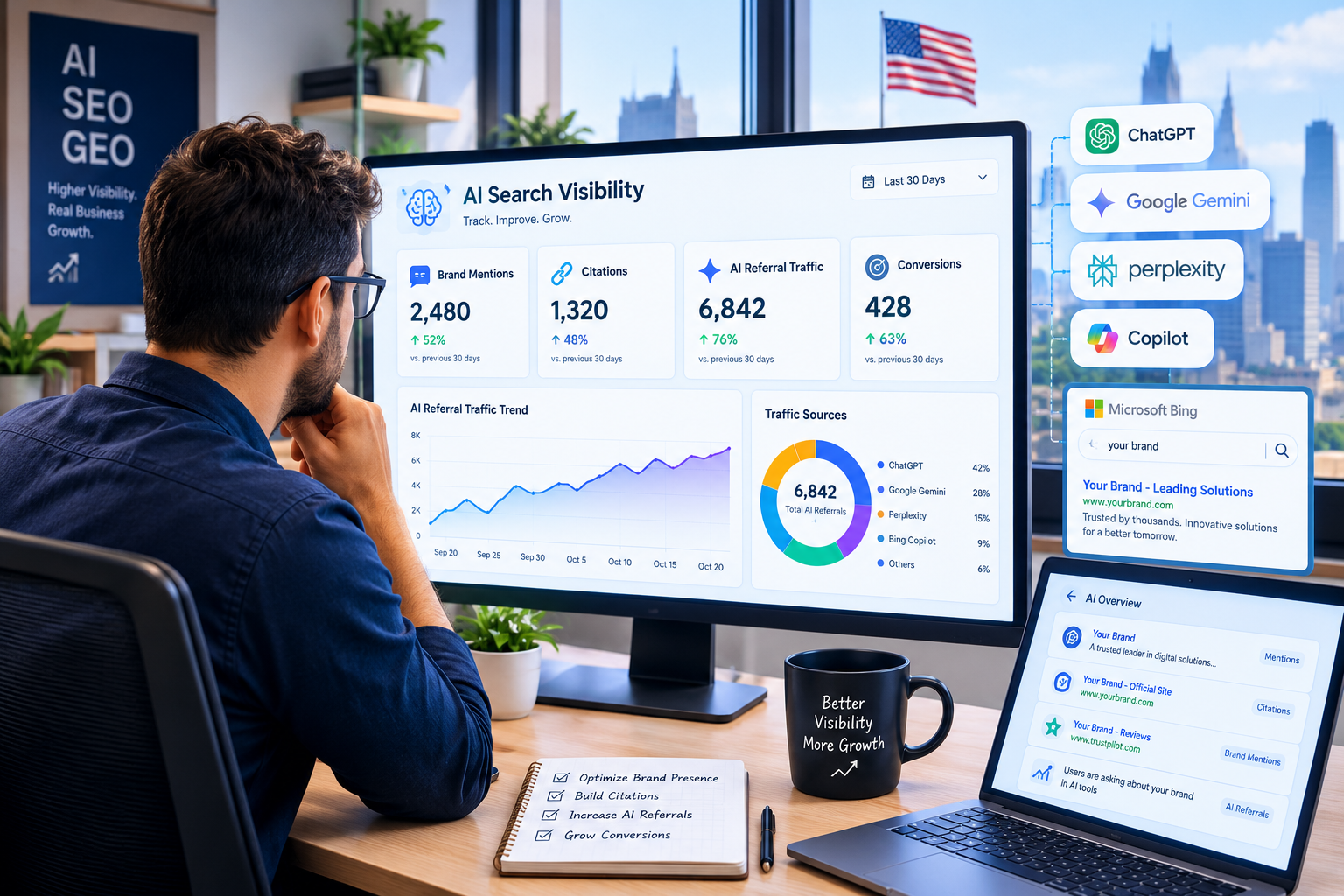
Now, imagine your brand is competing for visibility in these AI-generated responses. What KPIs should you look out for? Key metrics are the frequency of your brand mention, AI visibility rate, referral traffic from AI platforms, citation frequency and competitor’s AI visibility.
But what’s the point of tracking these KPIs if you couldn’t understand their purpose and relation to your business objectives? That’s why you need an AI search visibility dashboard.
What does an AI Search Visibility Dashboard do?
It is a reporting tool that collects relevant information from AI platforms such as, Perplexity, Gemini, ChatGPT, Claude and Google AI Overviews to:
- Track brand mentions, AI citations and source links across AI platforms.
- Analyze competitor visibility and AI share of voice.
- Identify opportunities to improve AI visibility.
- Monitor visitor engagement through referral traffic from AI platforms
- Evaluate accuracy of information displayed in AI answers.
- Track leads, conversions and revenue generated from AI visibility.
How to Build Your Own AI Search Visibility Dashboard
An AI SEO company can help you create a customized AI search visibility dashboard that answers the following three key questions:
- Does your brand appear in AI-generated responses? How frequently?
- Is your current AI search visibility bringing any growth to your business?
- How can you improve your existing dashboard to identify new opportunities?
Let us understand the process of building an AI search visibility dashboard through the following step-by-step guide.
Specify Your Primary Objectives for AI Visibility Reporting
Every business type needs AI search visibility data for different purposes. A B2B company may use it to monitor competitors, track comparisons and citations along with quality leads. Whereas, an ecommerce brand may use the data to track product recommendations, brand mentions and their frequency.
Decide what you want to achieve by monitoring your AI search visibility. You can set your objectives around:
- Increasing brand mentions and website citations.
- Identifying major competitors and comparisons.
- Increasing qualified traffic directed from AI platforms.
- Identifying gaps in brand sentiment, citations and content generated in AI responses.
- Identifying prompts or content types with the most AI citations.
- Monitoring the brand content for accuracy in AI-generated answers.
Pick AI Search Platforms and Target Prompts to Monitor
The next step is to pick AI-powered search platforms you wish to monitor. Why? To track your brand’s AI performance across these platforms and understand how different each of them can respond to user queries. Popular options include ChatGPT, Gemini, Google AI Overviews, Perplexity and Claude.
Next, you must create a list of some target prompts that your target audience is likely to search. For instance, some of these prompts for an SEO company could be:
- Best SEO companies for small businesses.
- How to improve your website’s Google ranking.
- Top digital marketing agencies in the USA.
- List of SEO companies offering AI search optimization.
Now, group these prompts into relevant categories based on product category, intent, topic, platform, location, time and context. It will help you test prompts easily across multiple platforms and compare the AI responses.
Define a List of Relevant KPIs
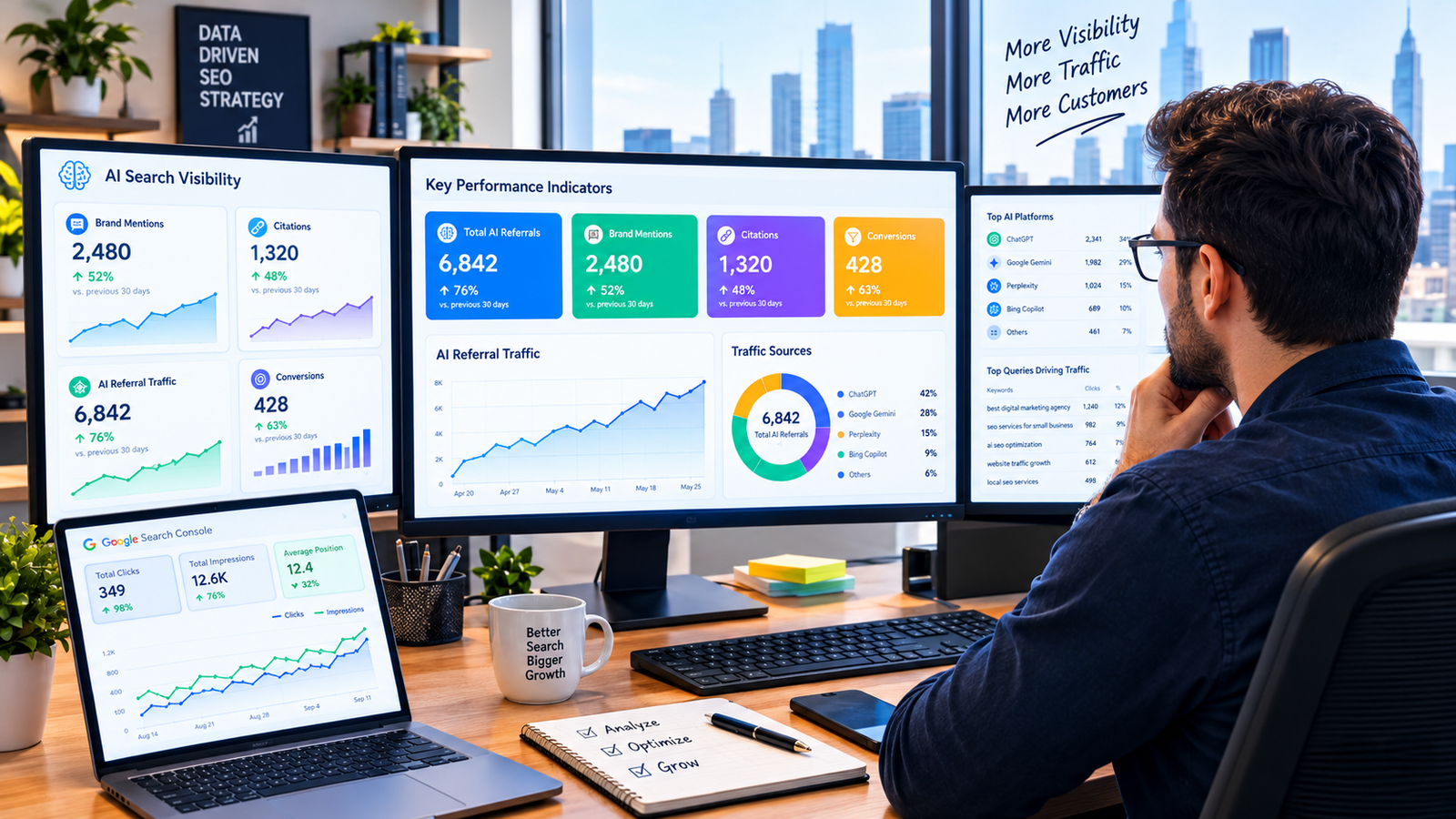
Now, define key performance indicators for your AI search visibility dashboard. These metrics help your track your brand visibility and growth across multiple AI platforms mentioned in the above point. Some of these could be:
| KPI | Purpose |
| AI Brand Mentions | How many times your brand appears in AI answers |
| AI Citation Frequency | How many times AI platforms cite your brand |
| Prompt Mentions | Topics in which your brand appears |
| Position in AI Response | Your brand position in the AI response |
| Brand Sentiment | What public sentiment your AI answers create |
| AI Referral Traffic | Website clicks attributed to AI mentions |
| AI Answer Accuracy | How Accurate is the brand information |
| Competitor Mention Frequency | Frequency of competitor mentions |
| AI Lead Conversation Rate | Percentage of referral visitors from AI converted to leads |
Collect Data from Relevant Sources
You cannot gather all your AI search visibility data from a single source. You must collect it from multiple platforms and combine it to generate a precise AI visibility report.
Here’s how these different AI sources help with your AI visibility dashboard:
CRM Systems: they provide information about sales, leads, revenue and customer engagement.
Google Analytics 4 (GA4): it provides metrics related to conversions, visitor engagement, landing page performance and AI referral website traffic.
Server Logs: they provide data about requests made by AI crawlers.
AI Visibility Tools: they track AI prompts, brand mentions, citations and competitor visibility.
Google Search Console: It provides traditional search performance data, including no. of clicks and impressions.
Collect relevant data through APIs, CSV exports and manual checks. Now, organize metrics, dates and names into consistent data formats, making it easier to compare results and identify trends.
Combine Data From Suitable Platform for Reporting Data
The next step requires you to select a suitable platform to combine AI search visibility data collected from multiple sources and to generate the final report. Choose a tool or a platform that is easier to maintain and supports different data sources while not cluttering our dashboard with unnecessary information.
Some of these platforms are:
- Business Intelligence Tools: they help in combining large datasets with business metrics to create advanced reports.
- Google Spreadsheets: they are highly useful in recording manual data and performing small computations when tracking AI visibility from a single platform.
- Google Looker Studio: it combines multiple data sources to create personalized AI reports and monitor AI performance.
- Semrush AI visibility tools: they can help brands track AI mentions, citations, competitor visible and several other AI search visibility metrics.
Organize the Dashboard for Better Understanding
Different stakeholders may use your AI search visibility dashboard for different purposes. So, the ideal choice would be to organize different metrics into separate sections. Adding comparison tables, charts, suitable infographics and filter options can further make your dashboard more meaningful.
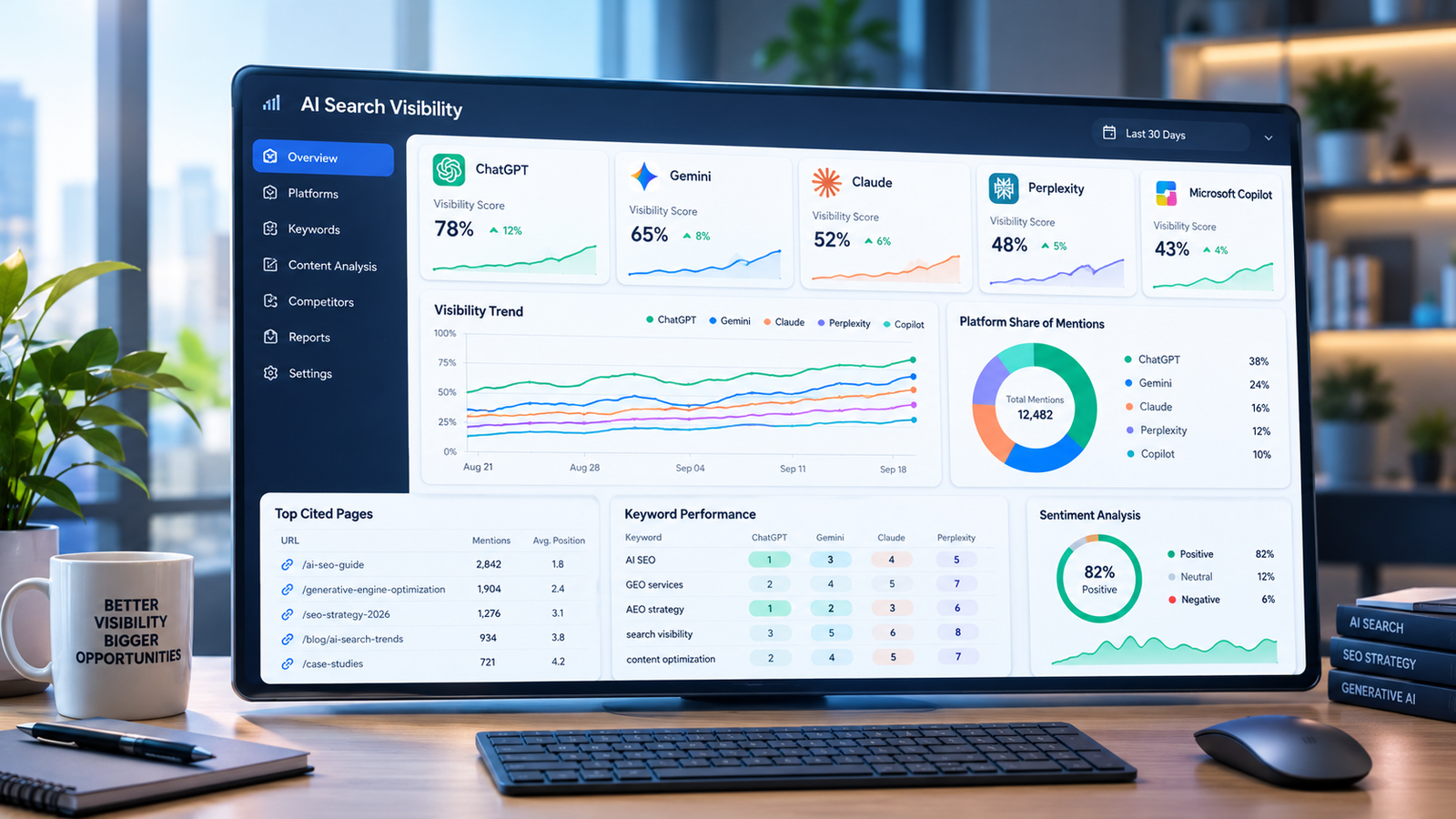
You can divide AI search visibility data into the following sections on your dashboard:
| Sections | Metrics Covered |
| Competitor Analysis | Shared prompts, competitor visibility across AI platforms, citation comparison |
| AI Visibility Analysis | Brand mentions, prompt coverage, citation frequency, brand position across AI platforms |
| Technical Performance | Inaccessible URLs, blocked crawler requests, HTTP response codes |
| Content Analysis | Frequently cites webpages, topics with limited AI visibility, URLs receiving AI referral traffic |
| Business Growth Analysis | Conversion rate, revenue from AI referrals, AI referral conversions, lead generation |
Analyze AI Search Visibility Report
Now that your AI search visibility dashboard is ready, it’s time to analyze its results. You can then use the insights to refine your AI search strategy and improve your AI search visibility.
Start with reviewing your dashboard everyday for key metrics and weekly or monthly for broader analysis. You can also compare your AI search performance across different time periods to identify changes in KPIs over time, look for gaps and take appropriate action.
End Note
Your AI search visibility dashboard is more than a monitoring tool. You can use it to strengthen your online authority and improve your website traffic through AI-powered search experiences.
So what if tracking every click, impression or lead generated from AI search may not be possible? A dedicated dashboard can still provide valuable insights into how to improve your AI search performance. Use this information to increase your chances of appearing in AI-generated responses.
Looking for an AI SEO company to help you build a customized AI search visibility dashboard? Connect with us today and get a free consultation on how to improve your visibility across AI-powered search platforms.